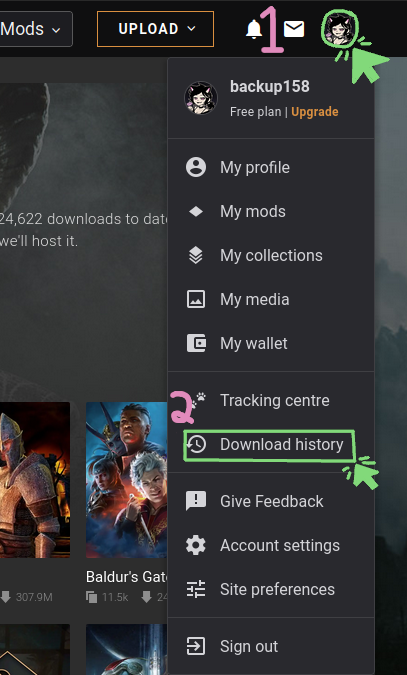
Note: These pages have been visually updated after the screenshots were taken. In principle, it's still the same process.
Streamlined Process to Find Mod Updates
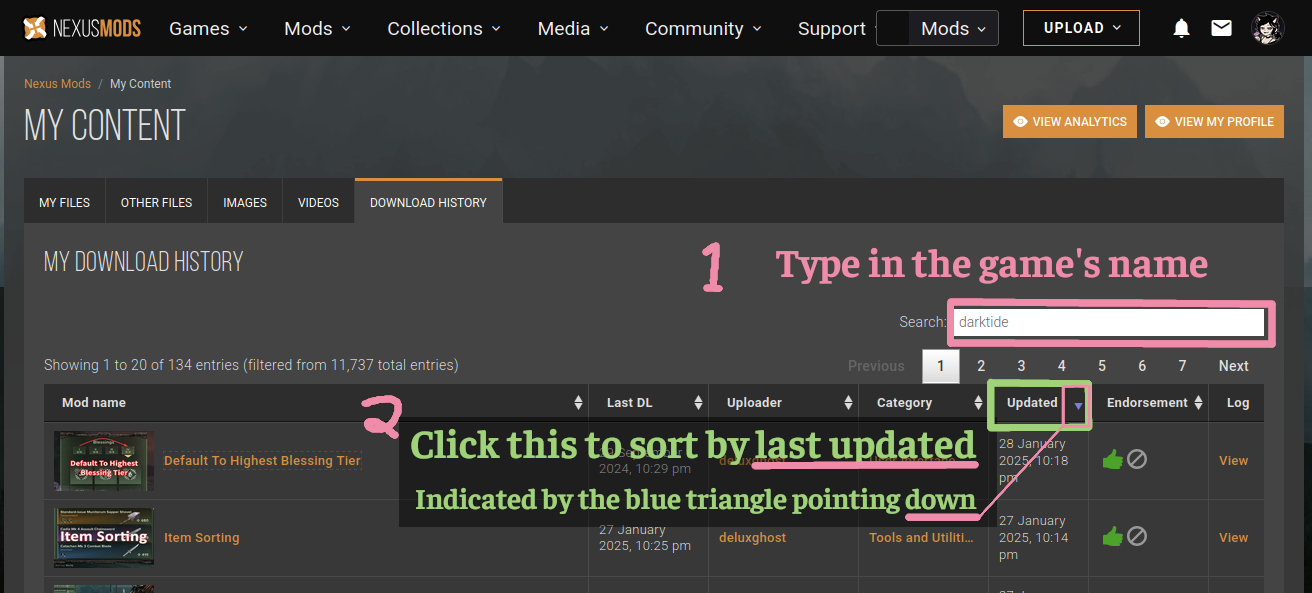
For users who won't/can't use a mod manager that automatically checks for updates, you should make use of Nexus's Download History page. On this page, you can sort them by last updated. To filter by game, select the game from the top bar of Nexus (the same one with the logo and your profile picture); IGNORE STEP 1 IN THE SECOND PICTURE HERE since that was before the site update.
Mod Requirements Section
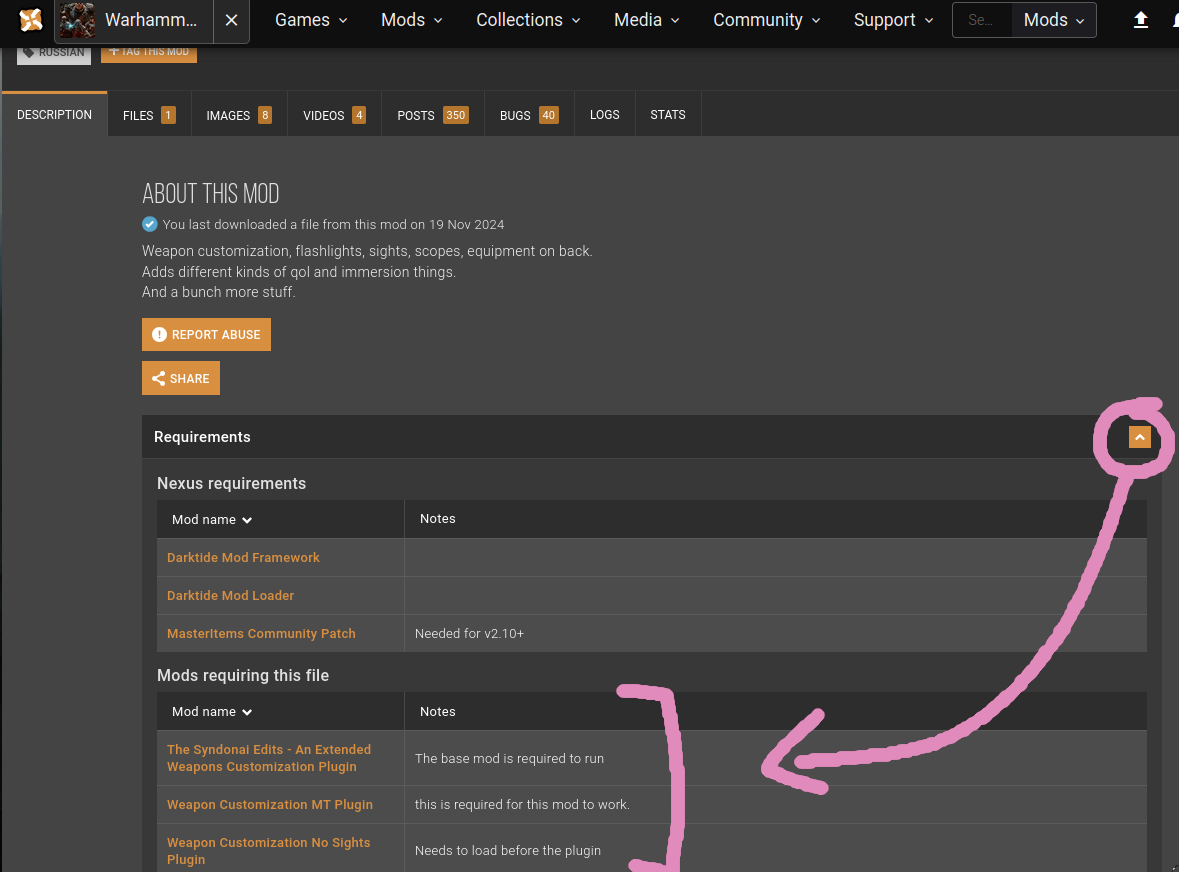
In the mod description, there is a collapsed section linking all required mods. You can expand it by clicking the area depicted in the image, circled in pink.
There is also a section automatically linking all other mods that require this one. This is very useful when you're on the page for a framework mod, for example. Boxed in the picture, you can see the Darktide Extended Weapon Customization mod has a few other mods that require it.