Extended Weapon Customization Informational Page
Extended Weapon Customization (EWC) is a mod for Warhammer 40,000: Darktide that allows you swap parts on your weapons, with support for community-added kitbashed parts. It being such an ambitious project naturally leads to having a few confusing aspects and known issues/quirks. This page serves as an officially unofficial FAQ for common issues and solutions for this mod.
Note that I (Backup158) wrote this and am hosting it on the webpage for my EWC add-on plugin, but the questions here primarily concern the main plugin itself. The webpage banner may be confusing, but rest assured, this page is about Extended Weapon Customization as a whole.
*Most discussion happens in the Darktide Modders Discord. Check the #weapon-customization-mod channel. The main contents of this page are pinned in the Discord thread*; this page includes elaborations and more pictures, all in one spot for easy sharing.
Table of Contents
Installation
This mod is installed like any other mod. See the Darktide Modding Community's Guide for Manual Mod Installation if you don't already know how to do so.
To use this mod specifically, there are three files you need to install.
- MasterItems Community Patch
- Visual Loadout Customization Community Patch
- Extended Weapon Customization. The mod can be found on:
- NexusMods.com
- Pinned in the Discord channel mentioned earlier. Usually, the pinned version is a potentially-unstable release with beta features.
There are two important things to note for load order:
- The two patches need to load before EWC.
- The two patches need to load early in the load order. Some mods, if loaded before the patches, will prevent them from working.
Links to Addon Plugins
General, place these after extended_weapon_customization. Defer to the plugins if they have more specific instructions.
Note: Anything here that said "Discord only" is referring to the Darktide Modders Discord. The given link directs you to a specific message in the server, containing the files to download. However, message links are infamously fickle when clicked in the browser. When it doubt, open Discord yourself --> go to the Darktide Modders Discord --> go to the #weapon-customization-mod channel --> check the 3rd-most recent pin there --> click the relevant link.
- EWC Base Additions by Grasmann
- On the Nexus page of EWC, in the "Optional Files" section. Put this one before the other add-on plugins in the load order.
- Adds parts across different weapon types. Notably contains reflex sights, laser sights, and flaming sword blades.
- The Syndonai Edits (Syn's Edits) by Syndonai
- Discord only: Link to message
- Contains many sci-fi and 40k parts. Generally, it just does everything because Syn is a legend.
- There is a changelog included in the files, which mentions all the added parts.
- MOAR DAKKA! by MarcathRoosevelt
- Discord only: Link to message
- Adds heretic weapon skins, machine gun parts to autoguns, and fisting. Most parts are for Ogryn.
- The most recent changelog is also found linked in the pins.
- Ostracized without Objection (OwO) by Backup158
- Mainly real-world attachments
- Empty Sights by Backup158
- Reflex sights from base additions, but without the reticle.
- Hidden Viewmodels While Aiming by Backup158
- Moving the gun off the screen when you aim.
- xsScythes by xsSplater
- Scythes for Psyker staves.
- Tools of the Omnissiah by Geoff From Accounting
- Primarily various parts for Skitarii weapons.
- Also some real world parts, such as Mateba barrels for stub revolvers.
Load Order
The recommended load order is as follows:
master_item_community_patch
visual_loadout_customization_community_patch
extended_weapon_customization_no_gun
extended_weapon_customization
extended_weapon_customization_base_additions
extended_weapon_customization_owo
extended_weapon_customization_syn_edits
extended_weapon_customization_more_dakka
extended_weapon_customization_empty_scopes
You don't have to use every add-on plugin. The list just includes most of the common ones.
Load EWC before GoToMastery and enhanced_character_selection. Do NOT use with DumpStatFinder.
EWC FAQ
1. What files are for EWC? What are the other files in the pins?
extended_weapon_customization and the 2 patches are all that is required for functionality. extended_weapon_customization_base_additions (EWC BA) provides additional options. The pinned versions of these are usually test versions which may have experimental fixes and functionality. The versions on Nexus (see Installation) are the latest stable versions.
visible_equipment is a completely standalone mod to show weapons on the body. It used to be part of weapon_customization, but has grown to be split into its own mod. You can find it on Nexus.
pure_cinema is a completely standalone mod to allow dropped enemy weapons to fire and to visually swap enemy weapons. It was mostly a "for fun" thing so it's not as granular as a fully-released mod, so keep that mind.
2. Are there compatibility issues?
Yes. Load EWC before GoToMastery and enhanced_character_selection. Do NOT use with DumpStatFinder.
3. Can I use the old plugins still?
No. All add-on plugins need to be completely remade for EWC, which will take a looong time. The MT Plugin is planned to be updated eventually, with no ETA. Syn's Edits and OwO have WIP versions pinned in the Discord chat.
Basically, anything named weapon_customization_xxx will NOT work. The new mods have adopted the naming convention of extended_weapon_customization_xxx.
4. Where can I get scopes for my gun?
EWC BA and Syn's Edits include scopes.
5. Can I transfer my customized weapons from the old weapon_customization to EWC?
Unfortunately not, even after the plugins are rebuilt. A converter won't be possible for technical reasons.
6. How do I customize weapons?
Open the inventory and select your weapon, then click the "Customize" button (left half of the attached picture). This will bring up a menu where you can select attachments to equip. Click the attachment on the left panel (right half of the attached picture), then click the "Equip" button on the bottom right.
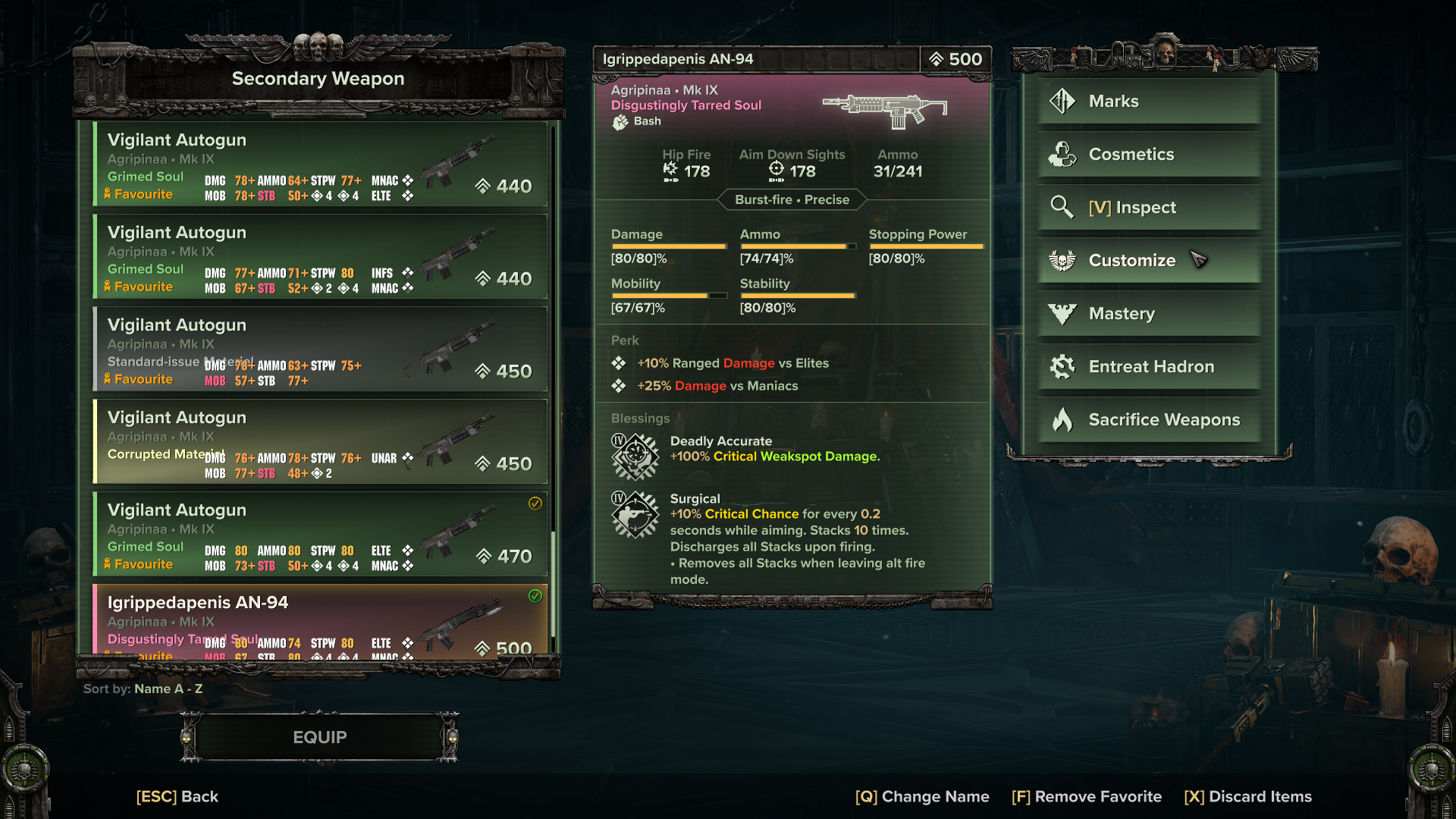
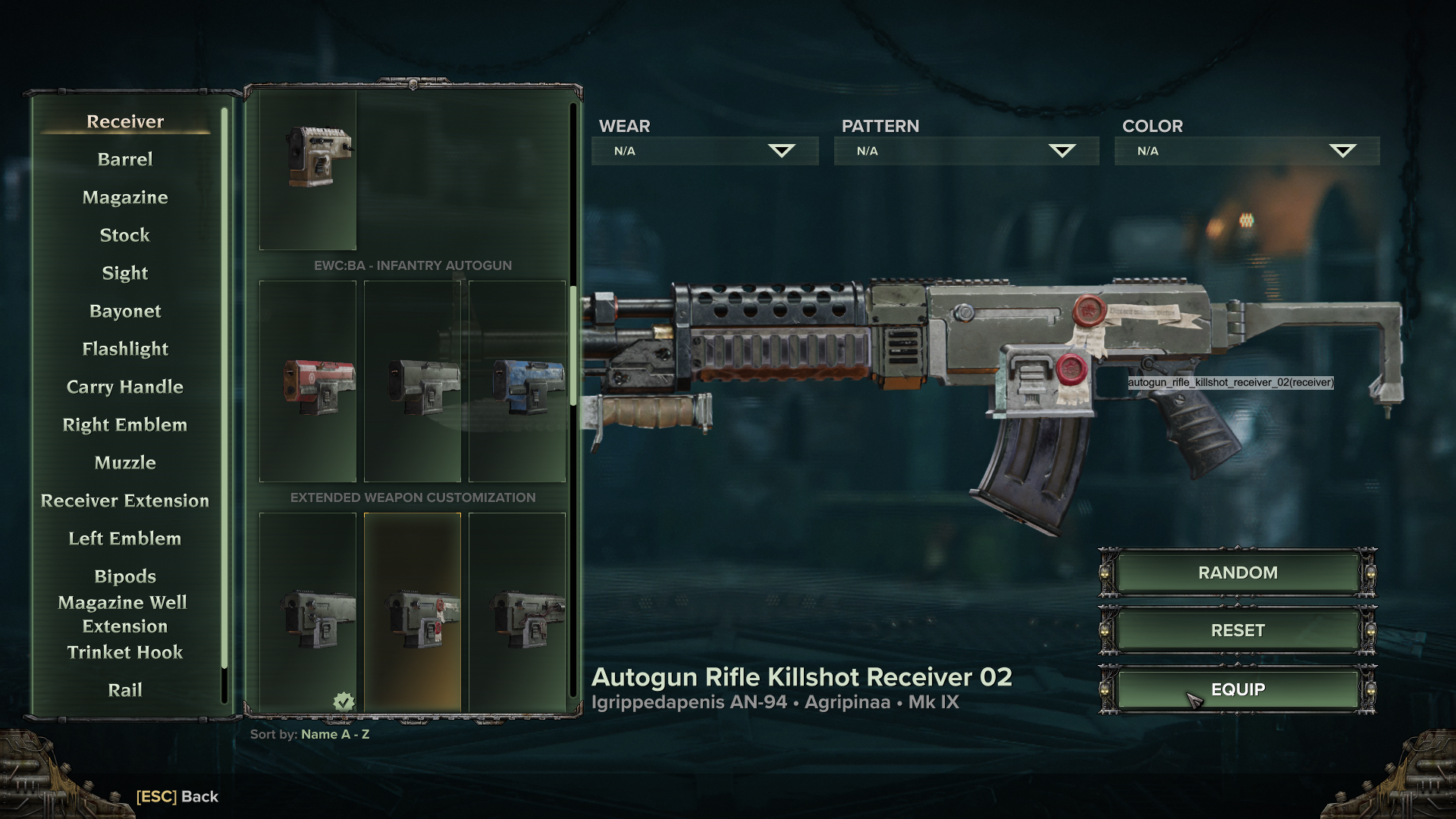
If there is no "Customize" button or you see a "loc_weapon_inventory_tip_1": string not found text upon customizing, go into Mod Options -> Toggle Mods -> make sure EWC is enabled
7. What do the buttons at the top do?
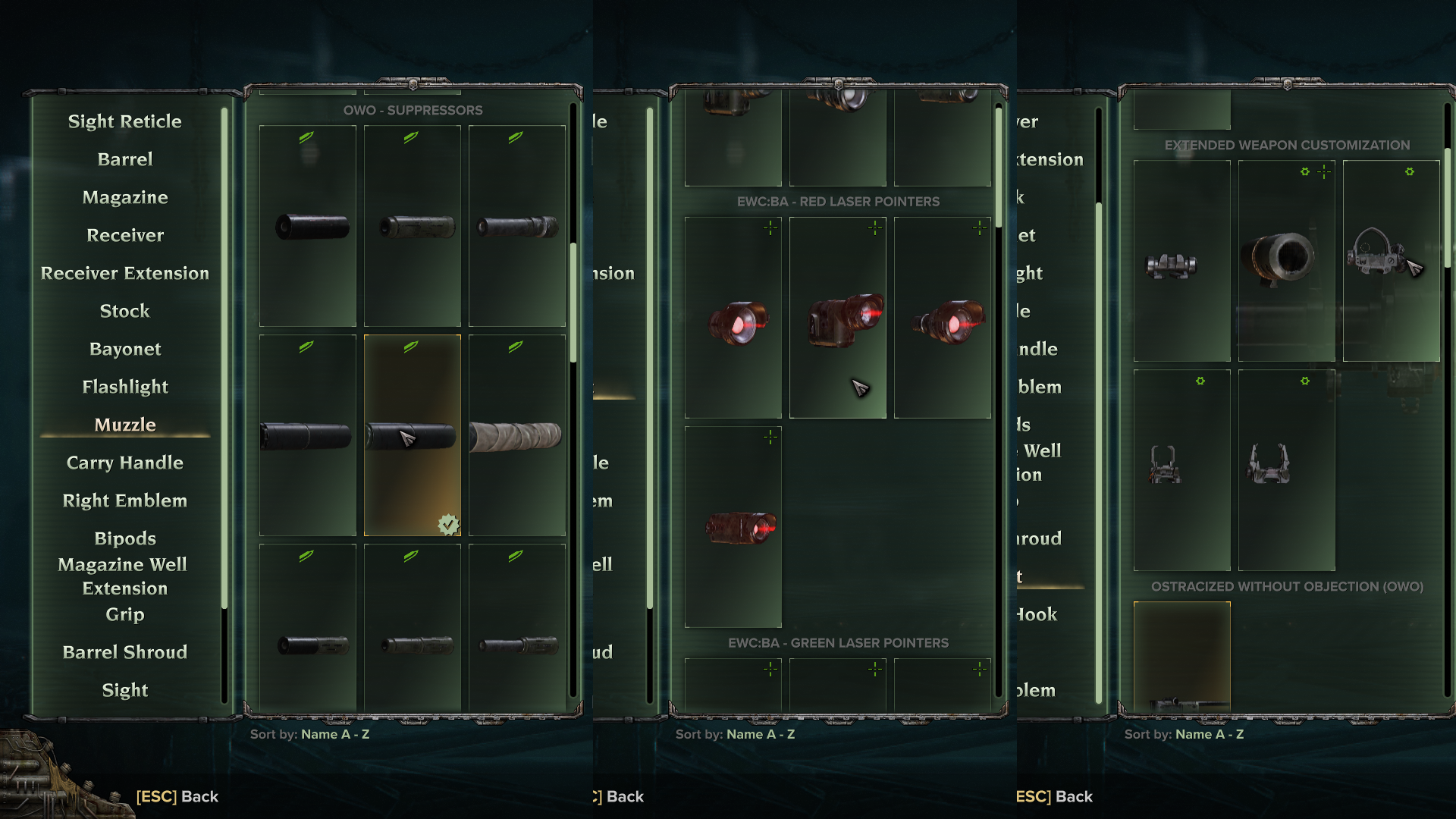
Some attachments, when equipped, provide additional features. These buttons allow you to toggle these features, if applicable.
- Damage Type (Bayonet Icon): Changes attack sounds, weapon trails, and/or gibbing effects
- Crosshair (Cross Icon): Changes the crosshair, such as by forcing a custom one or removing the one you have
- Alternate Fire (Gear Icon): Forces ADS view or braced view You can click the button to disable it, turning it red.
Here are some examples of attachments with these features:
8. How do I use the flashlights?
On weapons without flashlights in the base game, flashlights use the Interact button (the one for using Medicae stations, picking up ammo, etc.). Press it while aiming down sights, or quickly double tap it. These behaviors (and the reminder message in chat) can be toggled in the Mod Options.
Otherwise, flashlights can be used as usual, with the Special Action button.
9. Why aren't colors saving when I paint weapons?
It saves internally, but the changes may not show up right after painting.
People have had luck with applying colors before loading into the Mourningstar, using a mod such as Psych Ward. Otherwise, try swapping weapon loadouts while in the Psykhanium or playing a match.
Also make sure that the slot you selected is the correct one, in case you're actually trying to paint a bayonet or whatever (FAQ 10).
10. I tried coloring a part, and other parts got the same color!
Whenever a part is colored, all parts attached to its slot as a child inherit that color. The child can then be colored separately without propagating to the parent. This color inheritance goes down the chain. Normally, the receiver is the root of all parts, so coloring the receiver will color pretty much everything.
For example, you could color a barrel purple, which will make the muzzle purple too. You can then go to the muzzle, then color it yellow.
11. Weapon damage is doubled in the Psykhanium.
It’s a side effect of the damage type feature. It only affects offline matches, not online matches, so you won’t be banned.
Unfortunately, there is no workaround. You can only disable the mod temporarily whenever you want to test breakpoints (Mod Options --> Toggle Mods --> Extended Weapon Customization).
12. My crosshair is gone!
It's a bug with scopes added by plugins. The ones that zoom in make the crosshair disappear until you die. The plugins cannot fix this, and there is no ETA on it being fixed in the main mod.
Strangely enough, the crosshairs can reappear after dying in-game. Not really useful information, but funny to know.
13. I can't upgrade weapons with Hadron: "Cannot complete operation"
Close the menu then open it again. This happens with the base game but gets worse with this mod. Reopening the menu lets the game catch a breath, and usually lets you keep going afterwards.
Using Psych Ward helps, like in FAQ 9. When you're doing things before loading into the Mourningstar, there's less things happening in the background.
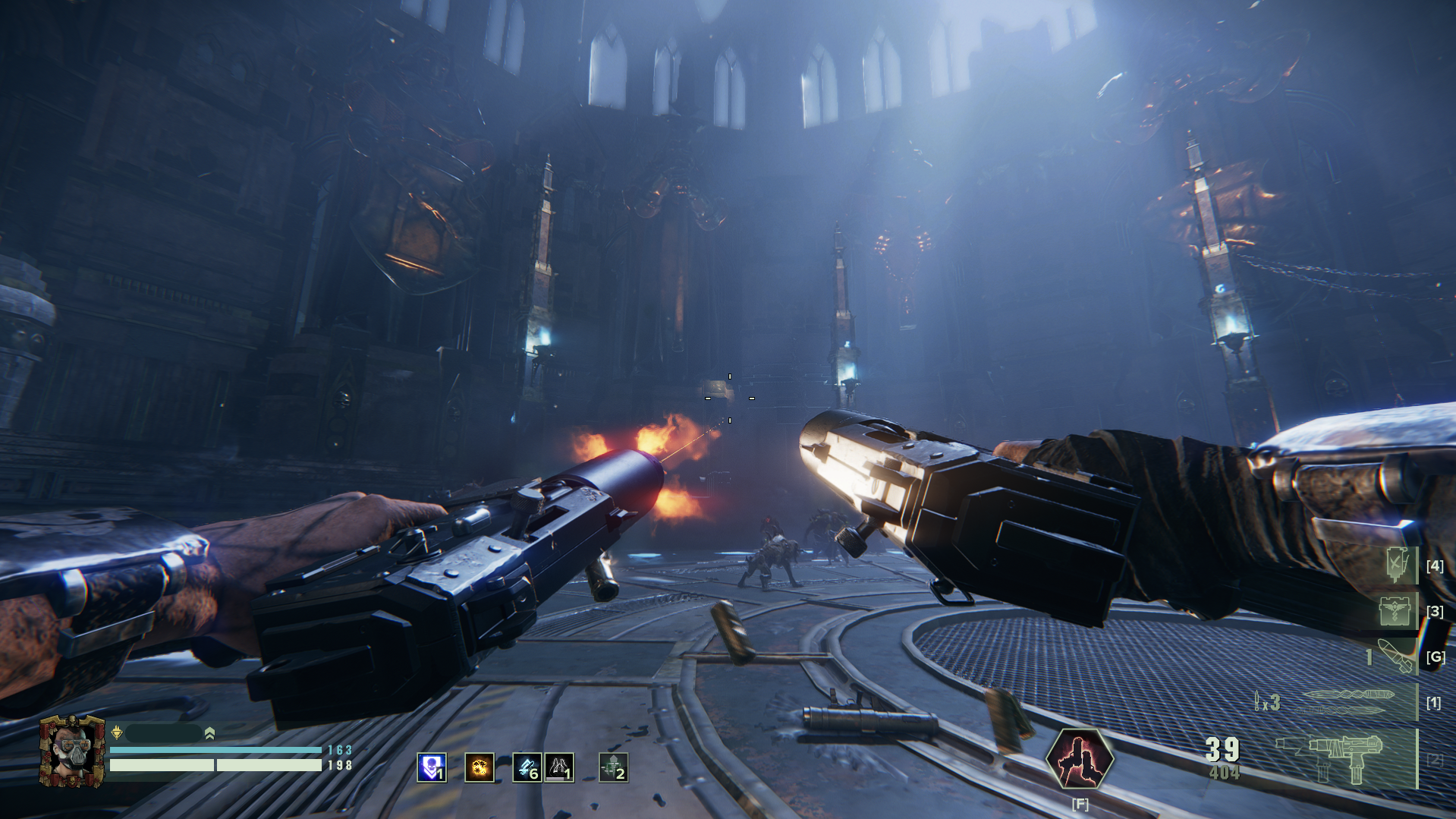
14. The Hive Scum dual weapons are missing VFX for the left gun.
This is a known issue. it happens regardless if you have equipped any customized parts. There is no ETA on the fix.
15. The game is crashing when I hover over some parts.
Go to Mod Options --> Extended Weapon Customization --> Disable the Randomization options
Typically, the crash message looks something like this: [Script Error]: scripts/managers/ui/ui_unit_spawner.lua:83: Unit not found #ID[b0db5a12576cdaaf]
Why does this help? Nobody knows but it usually works :D Praise the Omnissiah
16. The game is crashing with some "gmatch" error when I try to customize weapons.
[Script Error]: scripts/foundation/utilities/string.lua:21: bad argument #1 to 'gmatch' (string expected, got nil)
This message comes from the MasterItem Community Patch failing to load. Make sure these things are true:
- There is a
master_item_community_patchfolder in the Darktide mods folder andmaster_item_community_patchwritten in themod_load_order.txt. - There are no red messages appearing on the right side of the screen when you open the game.
- In the
mod_load_order.txtfile,master_item_community_patchis loading BEFOREextended_weapon_customizationand is at the top of the list. - The
mod_load_order.txtfile has been saved.
For #3, the important part is that it has to load before any mod that affects the same functions. Since there's not an easy way to find that out, conventional wisdom says to put it at the top of the list.
For #4, one thing that causes issues for people is that they'll fix the load order, but then they'll close the load order file without saving. The game doesn't recognize the changes (since it's not actually saved), and when the user reopens the load order file, it looks ok but actually isn't saved.
17. When I try to equip attachments, everything is the wrong place!
Make sure you have the Visual Loadout Customization Community Patch installed and loading before EWC. This patch is what keeps the weapon alignment working.*
If most attachments work but only a few aren't, it's likely an issue with that specific part when used in conjection with the current combination of attachments. Report these to the respective addon plugin author.
* EWC checks where to put attachments using a legacy algorithm. Using the current algorithm means every single part needs to be realigned, so the legacy algorithm was restored with this patch.
Legacy Weapon Customization FAQ
The intention of the main FAQ is to answer questions specifically about the rebuild of weapon_customization --> extended_weapon_customization. As such, it does not address questions that we've been answering for the old version. However, for posterity, I'll include a few of the common ones that still pertain to the rebuild.
1. Can other people see these?
No, this mod is entirely client-side. This means that your customizations are only visible to yourself, and other players won't see it, even with this mod installed.
Out of respect for Fatshark, there will be no efforts made to allow others to see your weapons. As an alternative, consider sharing pictures of your weapons in the Discord thread.
One way to create the illusion of this is to enable Randomization in the Mod Options. This will give other players random attachment selections, which may appear as if they chose those customizations themselves.
2. I can't see my weapon skins anymore!
As a side effect of implementing customization, you can't see the effects of choosing a skin through the "Cosmetics" button. Other people will still see the equipped skin, but for you to see it, you'll need to recreate it through EWC. This can take some combination of swapping attachments and applying colors and patterns.
Note that the red and white Mastery reward skins are not a paintjob, but separate parts
3. I keep hearing some rustling noise when walking!
This is actually from Visible Equipment. Open Mod Options --> Visible Equipment --> Disable "Sounds from own character" and "Sounds from other characters"